Case study · Businesses
Flight Deck: a system built around the way an agency works
How I used AI-assisted development to turn an agency's spreadsheet workflow into Flight Deck, with a Control Tower view and service lines called Airlines.

In brief
The agency needed a shared view of its work and wanted to keep its operational approach simple. I built Flight Deck around that starting point. Its Control Tower and aviation language connect each job to the client, service and next action. AI helped me develop the system and can prepare client briefings that a person reviews before sending.
Who this can help
An agency or service business whose working spreadsheet carries useful knowledge, but whose jobs, client conversations and follow-ups are becoming hard to keep connected.
The problem and why Flight Deck
The agency I was helping needed a clear view of its client work, but it had little appetite for conventional project-management tools. My starting point was the way it already worked: a spreadsheet and the jobs, updates and conversations that needed to stay connected.
The Control Tower idea gave that work a useful shape. A control tower sees activity across the operation, while the people handling a particular flight need its details. For the agency, that meant an overview of the work and a Cockpit where staff could open a job and see what needed attention.
I wanted the system to fit the business’s language and habits. That’s the same approach I describe as business craftsmanship: understand how someone works, find the awkward joins, and build something that fits.
What I built and how it works
The original Flight Deck used a Google Sheet with a Control Tower menu and a Cockpit panel. It later developed into a web application with connected records for client work, activity and follow-up.
The aviation language has specific meanings. A piece of work has a Call Sign, and the client is the Passenger. An Airline represents a service line, such as Google Business Profile work.
A client can use several services, and a service can support many clients. Altitude describes the work’s status. These labels give the agency a familiar way to talk about its operation.
The Flight Board provides the shared view. Opening a job’s Cockpit brings its tasks, updates, meetings, links and client history together. Staff can see the detail behind something that needs attention without reconstructing it from separate conversations.
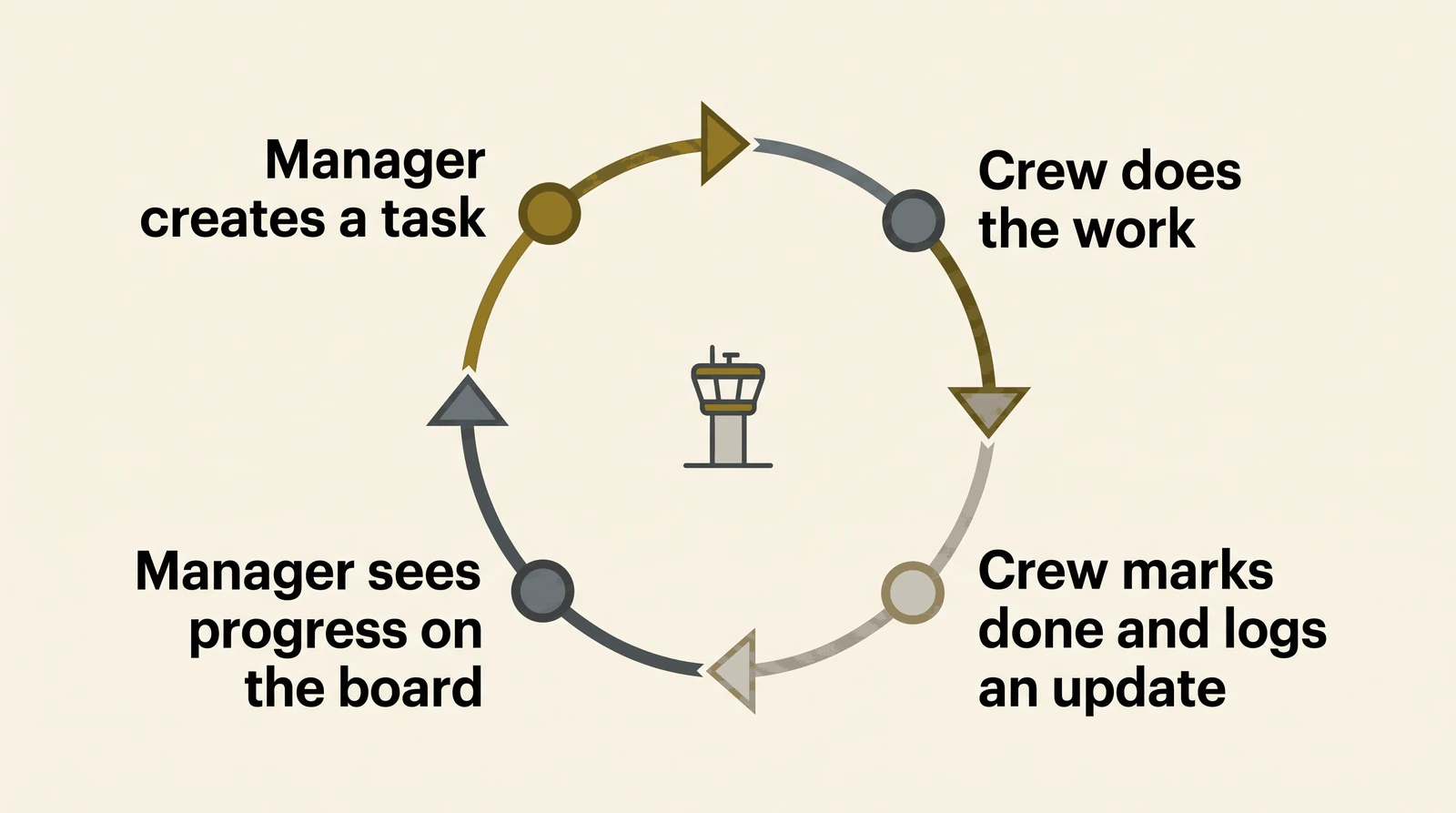
Client contact has its own meaning. A follow-up date advances when someone records a deliberate check-in. An ordinary project update doesn’t silently count as that conversation.
Separate markers identify work needing billing or finance review, with a read-only accounting connection supporting the view.
Where AI helps and what people control
AI-assisted development and vibe coding helped me build and refine the system. AI also has a specific role inside the application: it can prepare a client briefing from relevant, previously sent client-facing updates. A person reads and edits the draft before sending it.
People still decide what a stalled job needs, when to contact a client and whether work should become an invoice. The system brings those decisions into view and keeps the supporting information close.
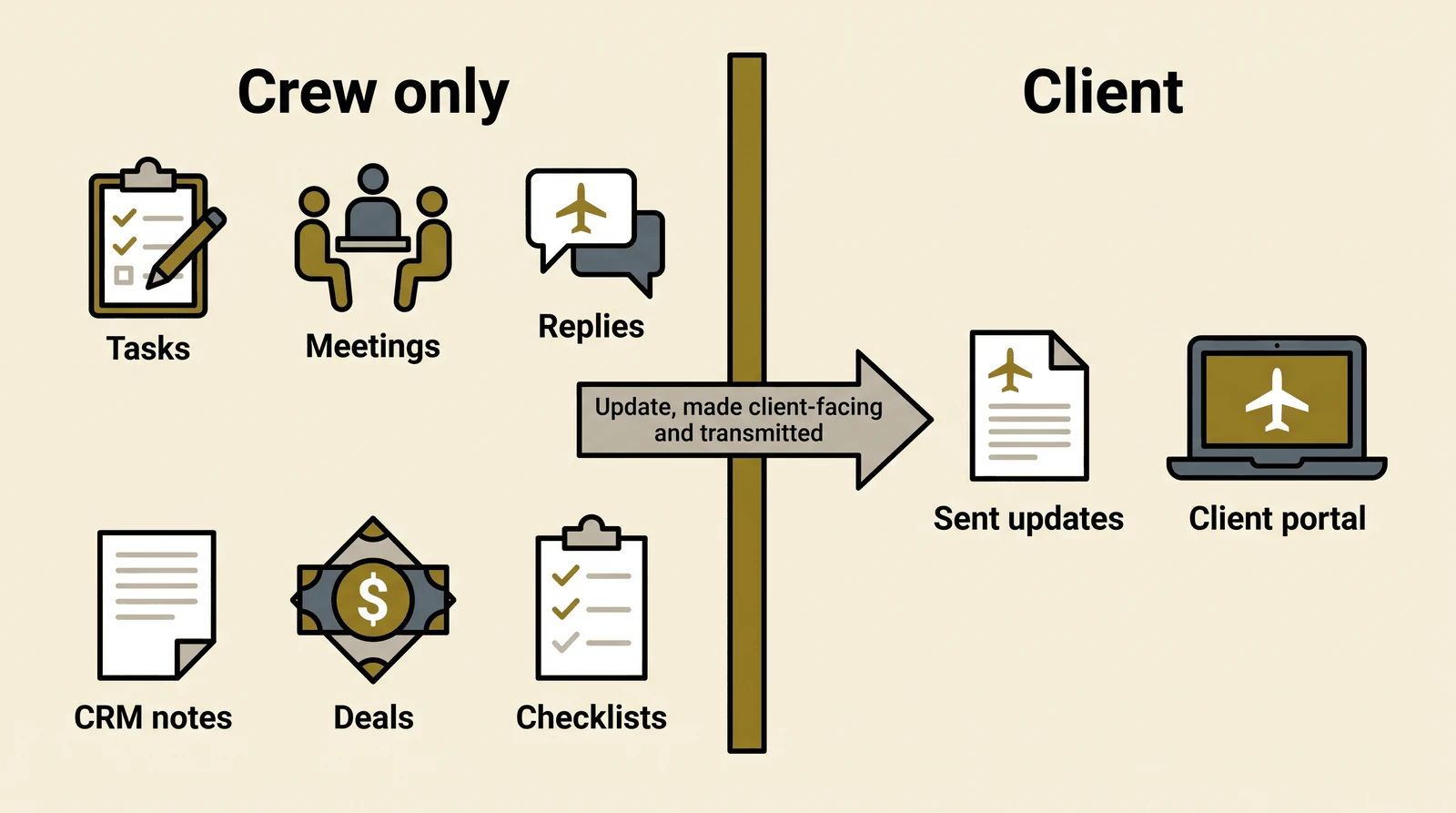
Internal tasks, meetings and notes stay with the crew. Staff choose which updates to make client-facing and send, so the client’s view is separate from the internal working record.
What the evidence supports
The working result is a connected record shaped around this agency’s vocabulary and responsibilities. Project activity, client follow-up and billing attention can be considered together. That is the practical evidence for the craftsmanship approach: the fit is visible in the design and the implemented rules.
The codebase has also developed into Clear the Decks, a commercial product under Hues Agency, with a fictional demonstration environment and customer-specific branding.
Limits to keep in view
The records reviewed do not establish measured time savings, recovered revenue or completed paid adoption. Some commercial onboarding and integration work remains. The application is designed for desktop work and doesn’t replace accounting, dispatch or stock control.
Frequently asked questions
Why is it called Flight Deck?
The Control Tower idea explains the view across the operation, while a job’s Cockpit holds its details. The original spreadsheet implementation already used a Control Tower menu and Cockpit panel. The web application carries that aviation language into its working records.
What does an Airline mean in this system?
An Airline is a service line, such as Google Business Profile work. The client is the Passenger, and a piece of work has its own Call Sign. One client can use several services; one service can support many clients.
Is AI making the operational decisions?
People decide what happens next and review client messages. AI-assisted development helped me build the application. The AI briefing feature prepares an editable draft from relevant client-facing updates.
See it in action
Explore Clear the Decks for product screenshots, an overview of how it works and the option to book a walkthrough with Hues Agency.
A useful next step
Bring me one part of your business that depends on a spreadsheet, repeated explanations or someone remembering the next step. I can help map how it works today and identify what a useful, carefully fitted system would need to do.